Section 39 R Codes: Data Management using dplyr
39.1 library(dplyr)
The package dplyr aims to provide similar functions for each basic verb of data manipulation.
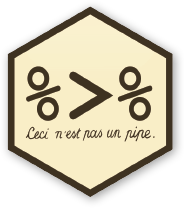
Along with the operator %>%, the data manipulation steps could be user-friendly and easy to understand.
Note: You can use the shortcut key Ctrl+Shift+M in Windows and CMD+SHIFT+M for OSX.
39.2 Select Columns
library(dplyr)

select(DF, Age)

select(DF, Age, Vac)

select(DF, Wt:Vac)

select(DF, -Vac)

select(DF, -(Age:Vac))

select(DF, starts_with('S'))

select(DF, ends_with('c'))

select(DF, -ends_with('c'))
39.3 Filter Rows
library(dplyr)

filter(DF, ID=='S3')

filter(DF, ID=='S3') %>% select(Age)

filter(DF, ID=='S3' | ID=='S25')

filter(DF, Age > 1.5)

nrow(filter(DF, Age > 1.5))
filter(DF, Age > 1.5) %>% nrow()

filter(DF, Sex == 'M' & !Vac)

filter(DF, Sex == 'F' & Vac)

filter(DF, Age > 1.5 & Vac)
39.4 Arrange Rows
# ascending order
DF1 <- arrange(DF, Age)
head(DF1)


# descending order
DF1 <- arrange(DF, desc(Age))
head(DF1)


# both ascending order
DF1 <- arrange(DF, Age, Wt)
head(DF1)


# first col ascending, second col descending
DF1 <- arrange(DF, Age, desc(Wt))
head(DF1)39.6 Rename Columns
DF1 <- rename(DF, Weight_kg = Wt, Age_yr = Age)
str(DF1)

DF1 <- select(DF, Weight_kg = Wt, Age_yr = Age, everything())
str(DF1)39.8 Summarise
DF1 <- summarise(DF, Age = mean(Age, na.rm=TRUE),
                     Wt = median(Wt, na.rm=TRUE))
DF1


DF1 <- group_by(DF, Sex) %>%
       summarise(Age = mean(Age, na.rm=TRUE),
                 Wt = mean(Wt, na.rm=TRUE))

DF1


DF1 <- filter(DF, Age > 1.5) %>%
       group_by(Sex) %>%
       summarise(Age = mean(Age, na.rm=TRUE),
                 Wt = mean(Wt, na.rm=TRUE))

DF1